

日本語版>>
中文版>>
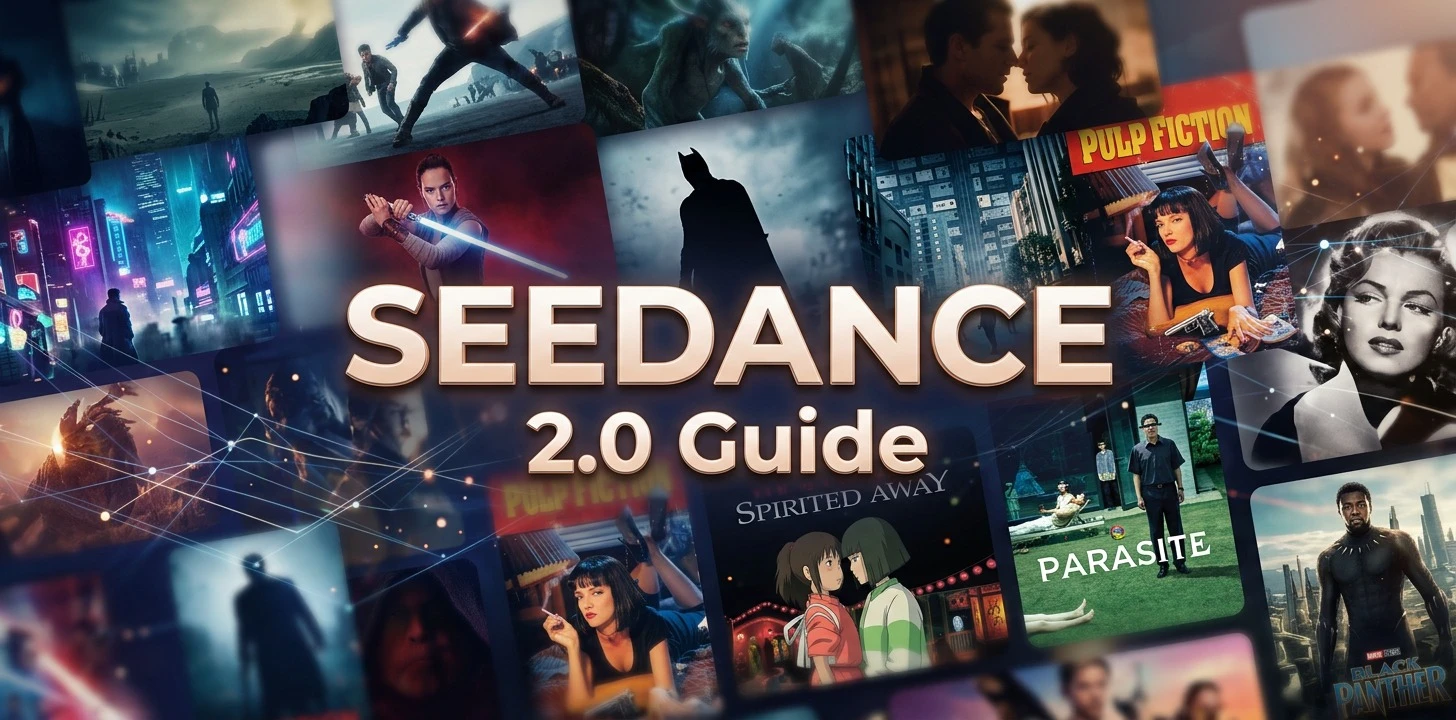
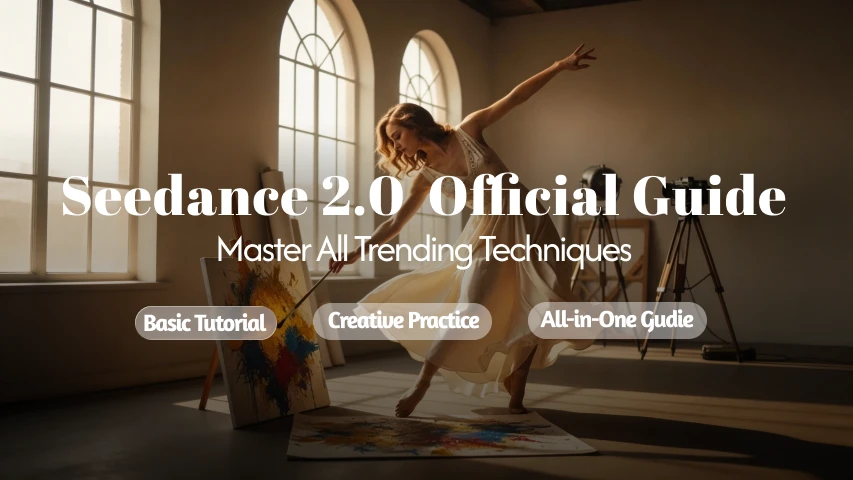
After the Seedance 2.0 update, most creators are concerned about three questions: What can it do? How do I use it? Which gameplay styles are worth trying first?
This tutorial will address these questions, starting from basic usage and moving into practical cases such as character consistency, camera continuity, complex actions, and creative transitions. We aim to systematically organize the common and popular uses of Seedance 2.0 to help you quickly grasp its capabilities and integrate them into your own creations.
I. Getting to Know Seedance 2.0 Quickly
1. What is Seedance 2.0?
Seedance 2.0 is a video generation model that supports [Multi modal Input]. In addition to generating videos from text, it allows you to use [Images, Videos, and Audio as reference materials] simultaneously.
In the past, making videos was mostly "guessing results with prompts," but now you can directly provide the desired visuals, actions, and atmosphere to the model, making the results more stable and closer to your vision.
2. Supported Input Methods
Currently, Seedance 2.0 supports the following:
● Text: Describe your visuals, actions, rhythm, and style in natural language (no complex prompt engineering required).
● Images: Best for referencing characters, clothing, scenes, composition, product appearance, etc. (Up to 9 images).
● Video: Best for referencing actions, transitions, camera movement, cinematic language, and rhythm (Up to 3 videos).
● Audio: Best for referencing background music, atmosphere, speaking tone, and overall emotion (Up to 3 audio files).
It supports [Mixed Input], allowing you to combine text, images, videos, and audio freely. The generated results will reference the visual content, action performance, and emotional atmosphere simultaneously, and come with [Built in Sound Effects/BGM], making it ideal for precision-controlled creative scenarios.
❗ Note:
The total limit for mixed inputs is currently 12 files. It is recommended to prioritize materials that have the greatest impact on the outcome and avoid uploading redundant information to help the model accurately understand your focus.
3. How to Use the Materials?
In Seedance 2.0, how you use materials depends on your creative needs. There are three main entry points:
● [Reference-to-Video]
You can upload multiple images, videos, and audio files at once and use text prompts to combine elements like characters, props, clothing, and scenes. You can also define the interaction and performance between them for more complex, personalized creations.

👉 Currently, Seedance 2.0 uses [@MaterialName] to specify the purpose of each asset. Example: @Image1 as the first frame, @Video1 for camera movement, @Video2 for action, @Audio1 for background atmosphere.
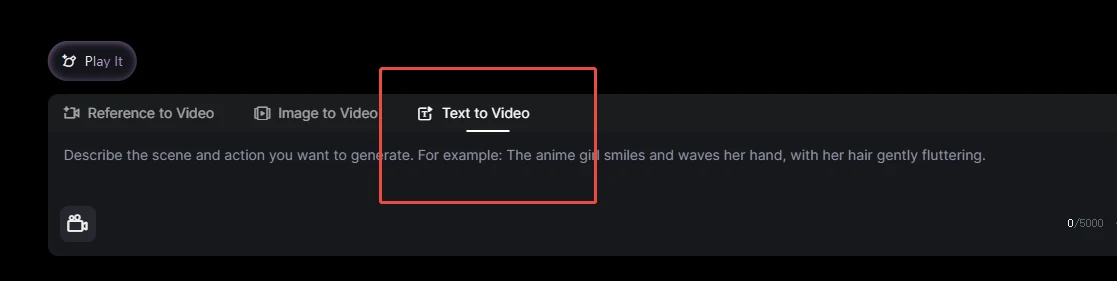
● [Text-to-Video]
If you want to generate a video with one sentence, use this mode. Simply enter a text description to generate a video directly.
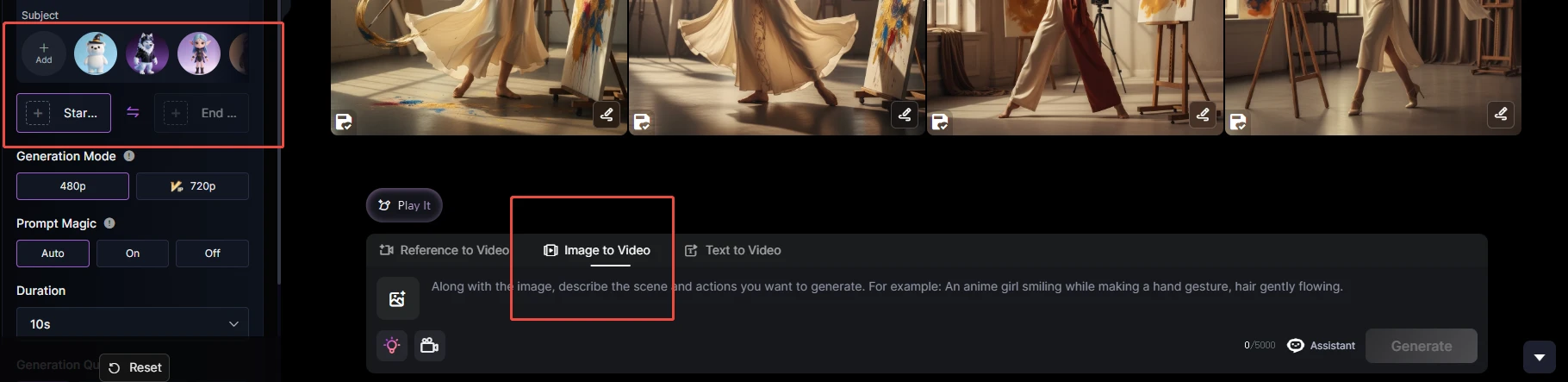
● [Image-to-Video]
You can upload up to 2 images as the start and end frames of the video, and the model will automatically complete the transition based on your prompt.
II. Core Capability Highlights
This upgrade focuses on [Basic Generation Power] and [Multi-modal Reference Capability].
1. Next-Gen Generation: Unmatched Stability & Realism
Seedance 2.0 shows significant enhancement in stability. Compared to previous versions, the model is much steadier in terms of action coherence, shot transitions, physical behavior, and overall realism. It provides higher completion and usability for content requiring strong narrative, dynamic expression, or continuous shots.
2. Multi-Modal Mastery: Total Control Over Every Element
Infinite Possibilities Seedance 2.0 = Multi modal Reference (Referencing Everything) + Strong Creative Generation + Precise Instruction Following.
● Supports Collaborative Input of Text, Image, Video, and Audio
Text, images, videos, and audio can all participate in a single creative session. Compared to relying solely on prompts, multi-modal input provides more direct reference information and is better suited for expressing complex requirements.
● Stronger Creative Generation: Expanding Beyond the Reference
Seedance 2.0 does more than just mimic reference materials; it can extend the frame and supplement details based on the provided references. This ensures the output remains controllable while preserving ample room for creative flair.
● Precise Instruction Response: High Efficiency via Natural Language
There is no need for overly complex prompt structures. By clearly describing the scene content, motion logic, and the intended use of materials in natural language, the model can accurately understand and complete the generation task.
💡 Pro Tip: Clarify @Objects when using multiple materials
If you are using images, videos, and audio simultaneously, it is recommended to first check if the purpose of each @Object is clear—for example, which is the subject, which provides the motion reference, which guides the camera work, and which provides the audio reference. The clearer the labeling, the more stable the final result will be.
III. Creative Gameplay Practice Examples
Below are several representative examples of popular Seedance 2.0 gameplay styles. These are organized to help you understand its specific performance in character consistency, camera work, action, and narrative expression through practical cases.
1. Character Consistency: Story driven Performance with Stable Characters from Start to Finish
In past video generation models, character consistency was often the most problematic area. In Seedance 2.0, this has been significantly improved. From features and clothing details to character temperament, action performance, emotional changes, and story continuity, the overall consistency is now much more stable and accurate.
👇 Example: "Bringing Famous Paintings to Life"
🛠️ Generation Steps:
📌 Step ①:
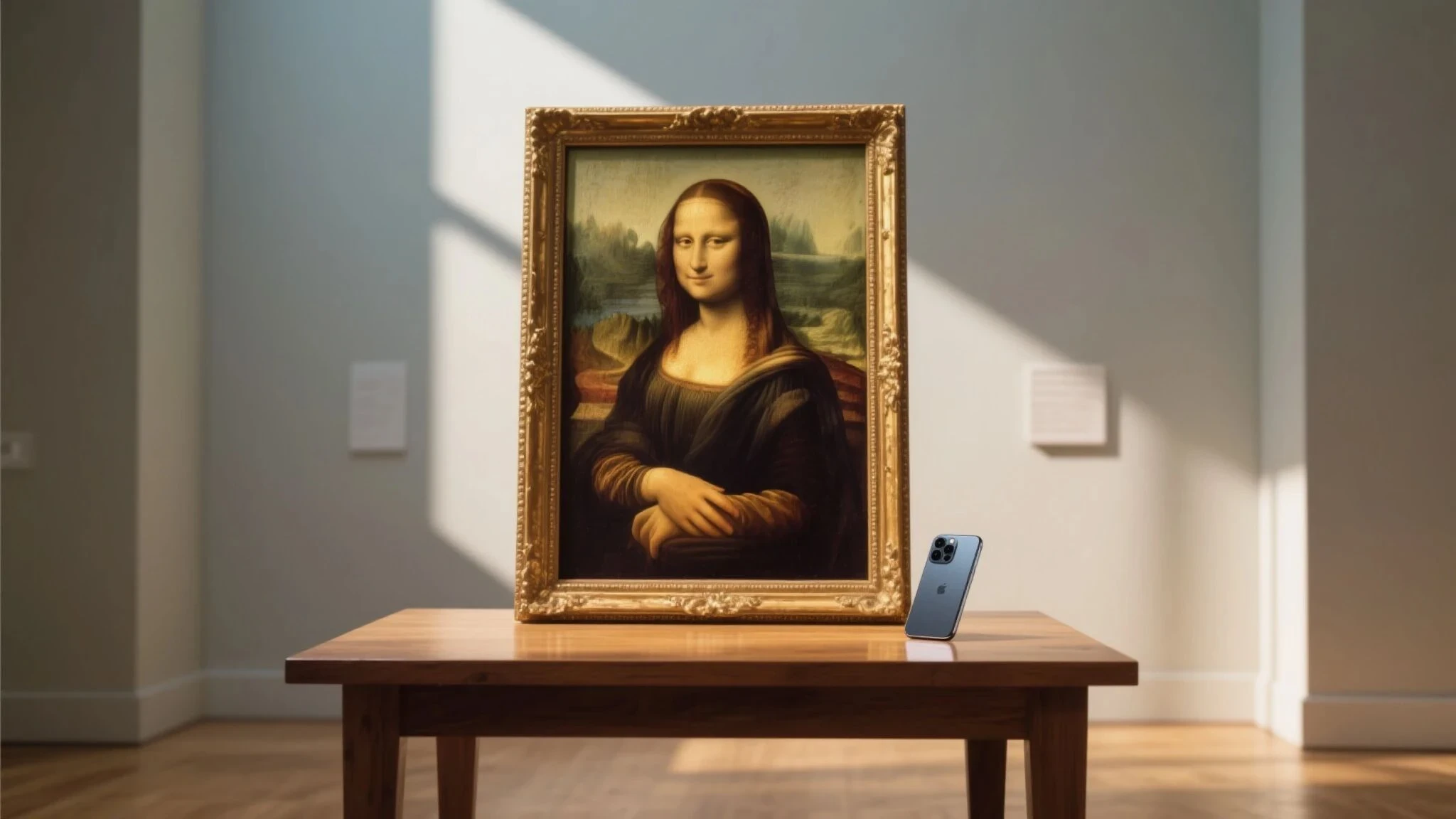
Prepare an initial frame or input a prompt to generate an image:
A classical oil painting in the style of the "Mona Lisa" framed in an exquisite and ornate golden frame, placed in a bright and quiet museum space. The frame stands on a wooden table, with a modern smartphone naturally placed on the table surface. Sunlight tilts in from the window, casting soft light and shadows on the frame and table. The overall composition is simple and restrained with a realistic exhibition texture. A slight humorous contrast between classical art and modern objects. Cinematic realistic style, high quality, clear details.
📌 Step ②:
Upload the reference image and input the prompt:
@Image1 The character in the painting shows a guilty expression, looks left and right to confirm no one is around, then leans out of the frame. She quickly reaches out to pick up the smartphone on the table, bows her head to secretly play a game, fingers tapping the screen rapidly with a focused and satisfied smile. Suddenly, footsteps are heard; the character panics, quickly throws the phone back onto the table, retreats into the painting, and resumes her original dignified, quiet, and nonchalant pose. Subsequently, a passerby walks past the painting, glances doubtfully at the phone on the table, and continues walking. Overall atmosphere: humorous, light comedy.
2. Camera Continuity: Natural Transitions with a Narrative Feel
Many video generation shots lack continuity, often suffering from stiff progression or spatial "jumping." Seedance 2.0 offers more complete performance in cinematic language, achieving natural transitions between camera movement, shot size changes, and subject motion.
👇 Example: "One-Shot Steam Train in the Wilderness"
A "one-shot" (long take) animated scene like this is ideal for demonstrating the model's advantage in continuous expression. As long as the initial frame is stable and the prompt is clear, the model can naturally guide the camera forward while maintaining character consistency, creating a more narrative movement process.
🛠️ Generation Steps:
📌 Step ①:
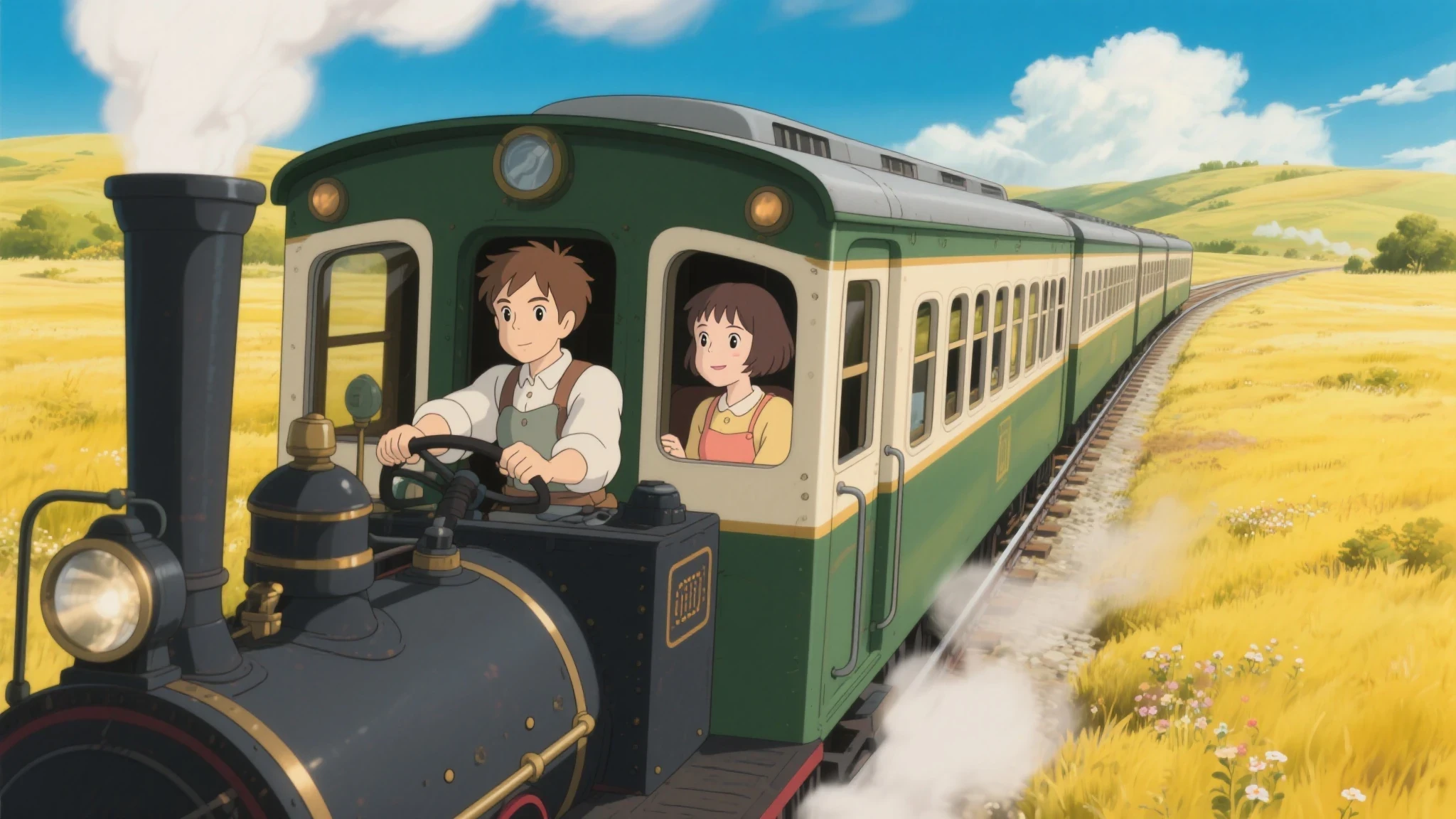
Input prompt to generate the first frame:
Hayao Miyazaki Ghibli Studio style. A vintage steam train in dark green and cream-white colors traveling on tracks through a golden wilderness. The camera is located at the front side of the train, clearly showing the locomotive and the cab. Inside the cab are a brown-haired boy driver and a short-haired girl co-pilot. Both characters have stable appearances; the boy is focused on driving, and the girl is smiling while looking out the window, with a gentle breeze blowing through her short hair. The steam engine emits white smoke. Surrounded by golden grasslands, scattered wildflowers, rolling hills, a deep blue sky, and fluffy white clouds. Overall image is bright and healing, warm colors, cinematic feel, high detail, animated film texture.
📌 Step ②:
Upload the first frame and input the prompt:
Based on the first frame, Ghibli style, one-shot, no cuts. The camera slowly follows the dark green vintage steam train from the front-left side. The driver is always the brown-haired boy, and the co-pilot is always the short-haired girl; their features, hairstyles, and clothing remain consistent. The boy drives attentively while the girl leans against the edge of the carriage looking into the distance, hair blowing in the wind, with white steam continuously puffing from the chimney. The camera naturally pulls back and rises slightly, following the train through golden wilderness and wildflower fields, up a slight incline, and then following the tracks into a gentle curve. The train body and characters sway slightly with the movement, looking natural. The camera then nears the cab and slowly rises to a high-angle shot of the entire train heading towards distant hills under the blue sky and white clouds. Maintain spatial continuity, smooth camera work, and stable character appearance throughout. Overall atmosphere: bright, healing, and full of Ghibli-style adventure.
3. Complex Action: Fluid Sequences and Complete Performance
Complex actions have always been the part where video generation is most likely to "fail," especially regarding high-speed movement, combat, multi-character interaction, or large-scale physical changes. Seedance 2.0 is more stable in these scenarios, naturally handling a full chain of actions such as continuous attacking, defending, being hit, turning, and looking back.
👇 Example: "Cat and Dog vs. Black Dragon"
This battle animation with character confrontation and strong dramatic conflict clearly shows the improvement in action bridging, character performance, and scene blocking.
🛠️ Generation Steps:
📌 Step ①:
Input prompts to generate character sheets and scene images:
A three-view character design sheet of an anthropomorphic kitten/puppy character showing front, side, and back views. Standing full body, plain white background. Character design, turnaround sheet, model sheet. The kitten has a rounded cute face, large bright eyes, soft fluffy fur, wearing exquisite and cute adventure-style clothing. Clothing details are unified and clear, proportions are balanced, and the tail is fully visible. Overall style: fairy tale feel, 3D animated character design style, high detail, clean and clear, suitable for character modeling reference. No extra props, no complex background, no multiple characters, no action changes. Maintain identical character appearance, clothing, and color palette across all three views.
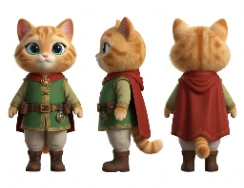
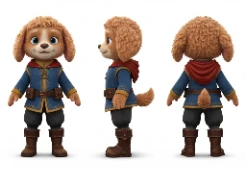
Dragon Prompt:
A three-view character design sheet of a classic Western black dragon, including front, side, and back views. Standing full body, plain white background. Huge symmetrically spread bat wings, thick hind limbs, sharp front claws, a long slender tail. The head has sharp dragon horns and a clear silhouette. Overall style: monster encyclopedia and game creature setting style. Black scales, clear structure, suitable for 3D modeling reference, high detail, high definition. No complex background, no extra special effects, no redundant elements.
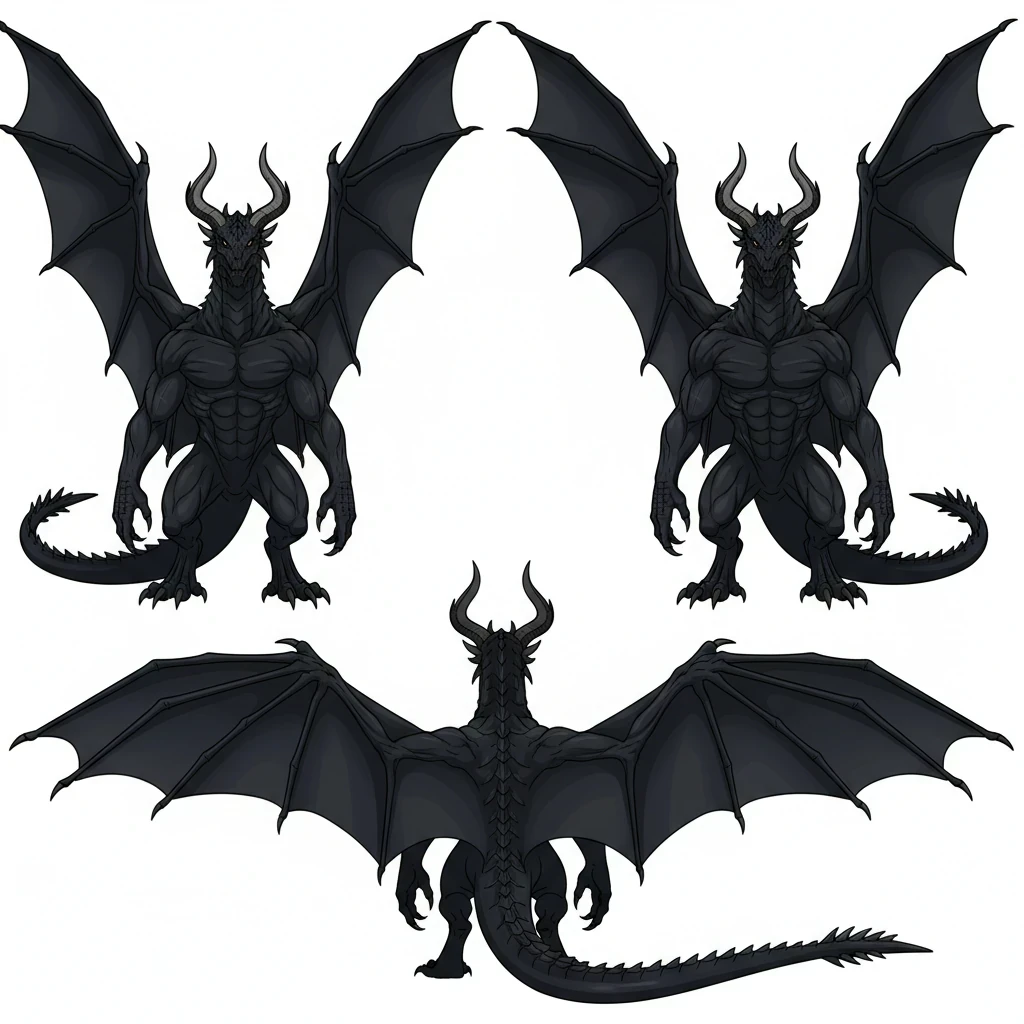
Scene Prompt:
High-angle shot of a cyberpunk street block from a rooftop perspective. Densely arranged Chinese-style buildings with flying eaves, narrow alleys weaving through them. Blue-purple neon light strips outline the eaves and street edges. Foggy night atmosphere, damp cobblestone roads reflecting cold-colored lights. A fusion of Oriental fantasy and future technology. Cinematic scene setting, ultra-clear, high detail, game concept art style.
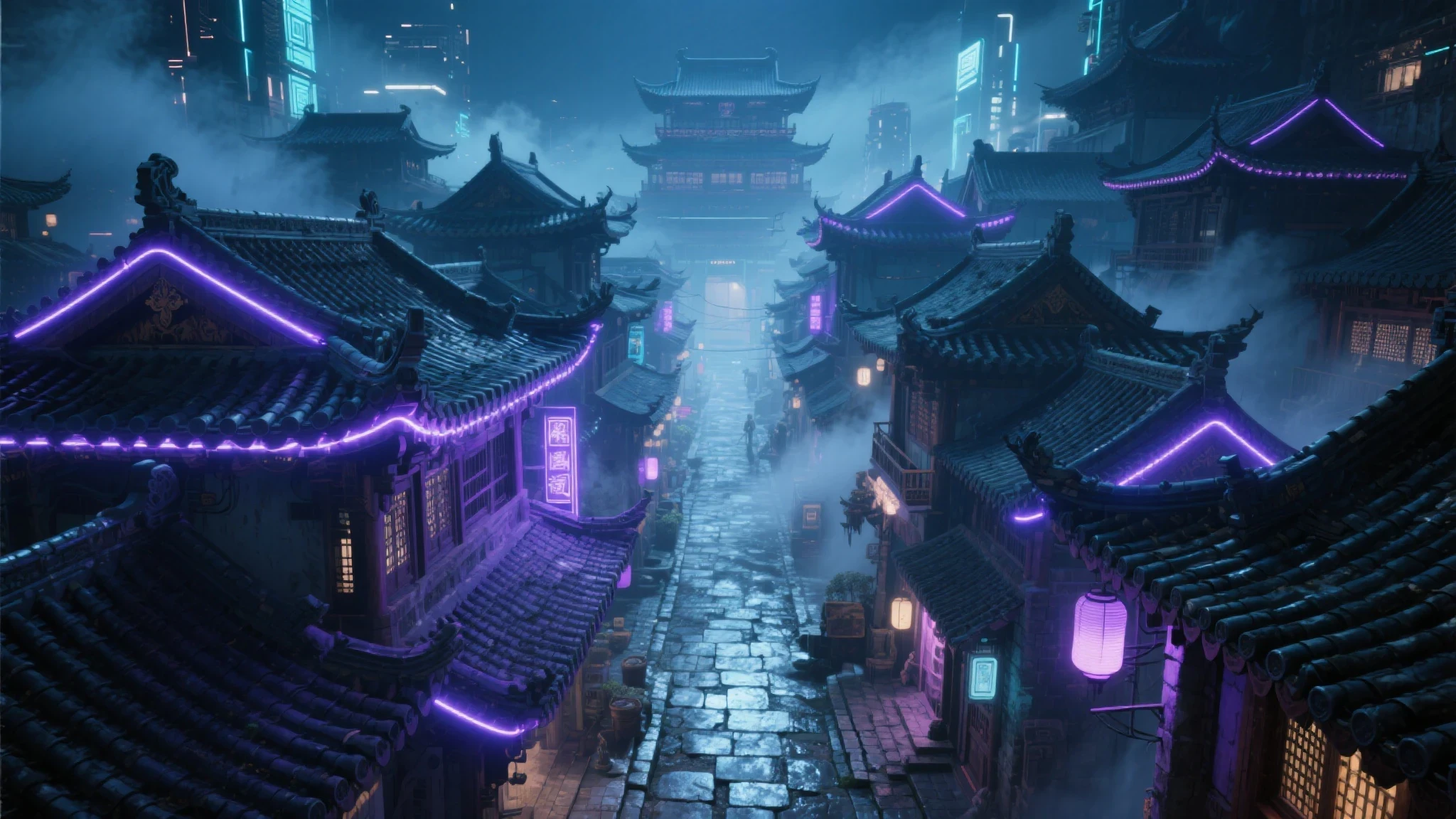
📌 Step ②:
Upload reference images and input the following prompt:
Dynamic combat animation. Wasteland Chinatown ruins @Image1. Blue-clad martial arts curly-haired puppy @Image2 (blocking with dual blades and being knocked back, blood on , jade pendant shattered) vs. Green-clad samurai orange cat @Image3. The cat performs a blood sacrifice on the blade and slashes a glowing golden dragon blade into the neck scales of the Black Dragon @Image4. Black blood spatters, dragon scales shatter. Finally pierces the right eye of the Black Dragon @Image4. The Black Dragon @Image4 collapses; the orange cat @Image3 looks back at the injured puppy @Image2. Style: Cute 3D furry, Chinese Wuxia style, cinematic lighting, high contrast, motion blur, fluid actions.
4. Creative Transitions: Smoother Shots and Easier Implementation
The difficulty of creative transitions is not just "joining" two frames, but making the visual rhythm and scene-switching logic appear natural. In Seedance 2.0, if you provide a reference video combined with multiple target images, you can more clearly teach the model specific transition styles, such as rotational progression, whip cuts, or point-of-view fly-throughs. This is especially suitable for ads, product displays, and short video packaging.
👇 Example: "Digital Product Ad with Smooth Transitions"
🛠️ Generation Steps:
📌 Step ①: Prepare a reference video
📌 Step ②: Prepare the images needed for the transition (Images 1-4)



📌 Step ③: Upload the reference video and images, input prompt:
Use @Image1 as the first frame, start a rotating camera movement from @Image2 to the frame of @Image3, then transition to @Image4. Refer to @Video1 for the camera movement. Note that the transition between the two scenes should be the same as in Video 1. Help me generate a smooth cinematic camera effect.
5. Narrative Storytelling: Developing a Complete Plot from Images and Reference Shots
Having images alone isn't enough; the real challenge is arranging shots and advancing the plot to tell a complete story. Seedance 2.0 doesn't just animate static content; it follows existing settings to handle storyboard rhythm and emotional expression. Combined with comic storyboards and reference camera videos, it can turn static content into a complete mini-series.
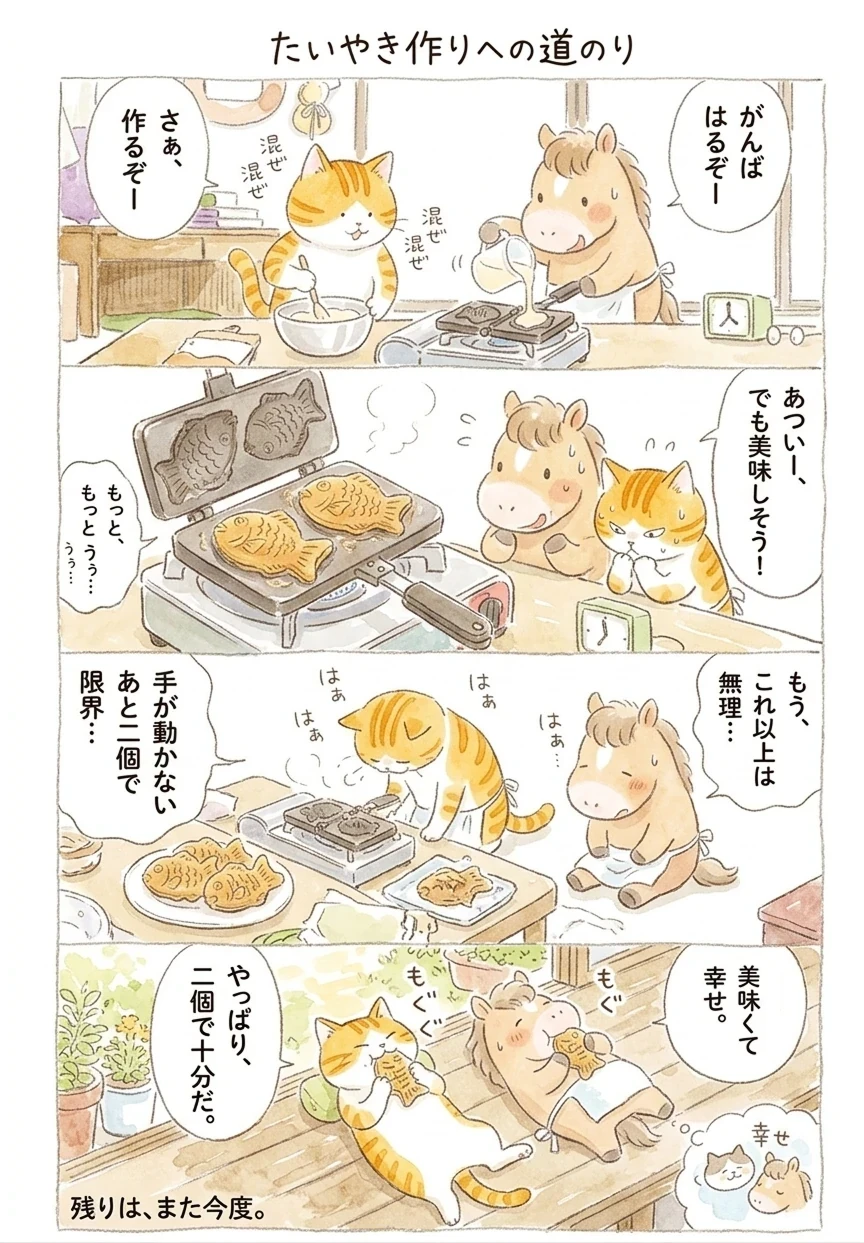
👇 Example: "Orange Cat and Pony's Taiyaki Daily"
🛠️ Generation Steps:
📌 Step ①: Use an image model to generate a comic storyboard.
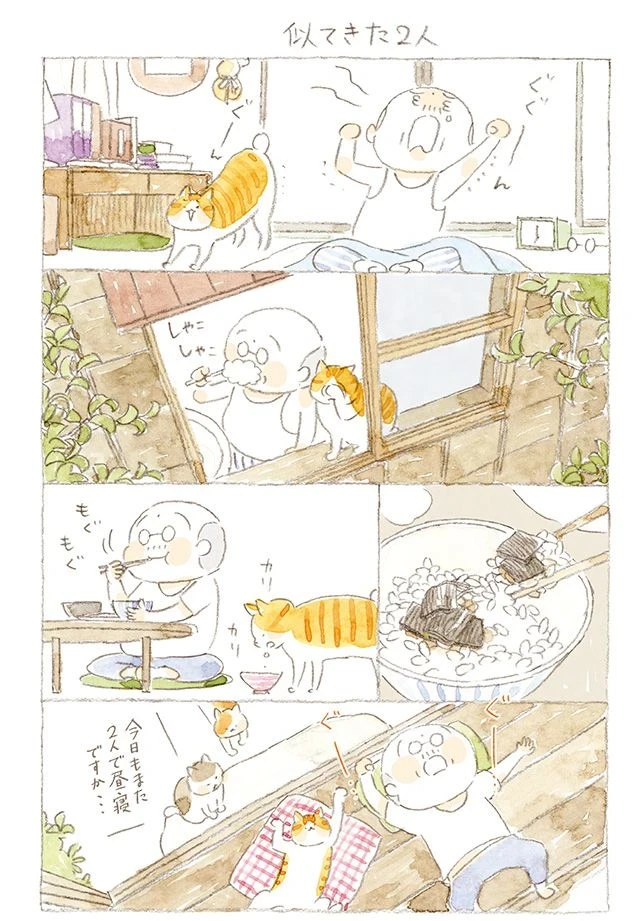
Image Prompt:
Referencing the art style of the photo I sent you, create a one-page comic strip telling the story of an orange cat and a small pony who got tired after making just two taiyaki, so they both lay down, ate one each, and gave up. Relaxed, lighthearted, light comedy, warm. Create as a Japanese vertical comic (Yonkomu style), using Japanese language.
📌 Step ②: Prepare the reference video content
📌 Step ③: Upload the prepared reference images and video, input prompt:
Perform a comic-style enactment of @Image1 in order from left to right and top to bottom. Keep the character dialogue consistent with the text on the images. Add special sound effects for scene transitions and key plot enactments. Overall style: relaxed, cheerful, and healing. Refer to @Video1 for the enactment style.
6. Video Extension: Naturally Lengthening Content without Breaking the Story
Seedance supports the continued editing and extension of existing videos. While retaining the original visual style, character state, and camera atmosphere, it allows for the addition of subsequent actions, plots, and visual content.
👇 Example: "Ancient Style Long Take - Gifting a Flower Branch"
In this example of an ancient-style horse riding trip, a "plucking and gifting flowers" plot is added to the original scene, extending a simple procession into a more complete story with emotional tension.
🛠️ Generation Steps:
Upload the original video and input the prompt:
Extend @Video1. The camera follows a man in orange riding a brown horse; he speeds up to a large tree with orange flowers ahead, plucks two flowers from a branch, and the camera zooms in to capture the man dismounting. The camera rapidly circles him as he walks quickly toward a woman in white riding a white horse and presents the flowers to her. Style: "Shinu-tu" (classical Chinese lady painting) style, 3D, Chinese style, cheerful folk music, shadow puppet style, dominated by black, white, and orange tones, emotional performance.
Overall, Seedance 2.0 doesn't just improve the basic quality of video generation; it further opens up creative space under multi-modal references. The examples mentioned above are representative demonstrations to help you quickly understand its capability boundaries and usage logic. However, the actual possibilities are far beyond this. With different material combinations, prompting styles, and reference methods, Seedance 2.0 can extend into more flexible creative scenarios. You are welcome to continue exploring and sharing your gameplay and works in the comments section!