
Alright, let's break down how to create an anime image like the one you provided
Video Generation

Generation Info
Records
Prompts
Alright
,
let's break down how to create an anime image like the one you provided in a 16:9 aspect ratio and with good quality
.
We'll focus on the key elements and how to achieve them
.
Understanding the Image and Its Elements
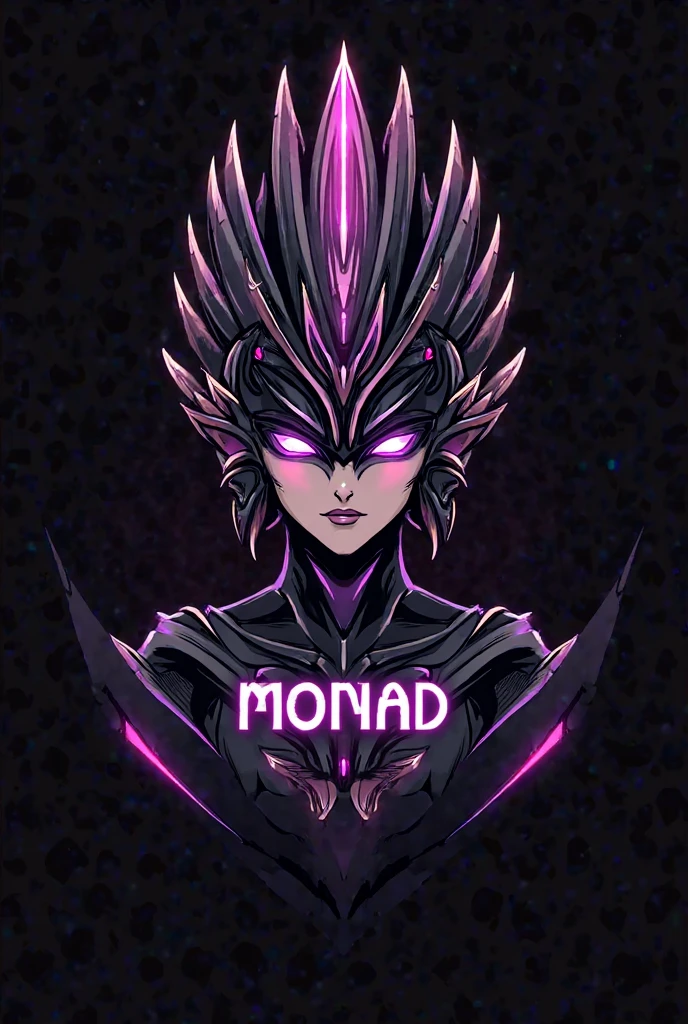
* Subject: A stylized character with a unique headdress
,
reminiscent of traditional Sri Lankan masks or motifs
.
* Style: A blend of anime and modern digital art
.
The character has a slightly robotic/futuristic feel
,
while the headdress is more ornate and traditional
.
* Color Palette: Limited and striking
,
primarily black
,
white
,
purple
,
and a touch of gray
.
* Composition: Centered subject
,
dark background for emphasis
.
* Text: "MONAD" and "Sri Lanka" are integrated into the design
.
Steps to Create a Similar Image
1
.
Concept and Sketching (Digital or Traditional)
* 16:9 Aspect Ratio: Start with a canvas that has a 16:9 aspect ratio
.
Common resolutions include 1920x1080 (Full HD) or 3840x2160 (4K)
.
* Character Design:
* Headdress: Research Sri Lankan masks and traditional designs for inspiration
.
Sketch out the shape and details
.
* Face: Decide on the level of "anime" style
.
Will it be chibi
,
shounen
,
shoujo
,
etc
.?
Consider adding robotic elements
.
* Body: Keep it simple
,
as the focus is on the headdress and face
.
A simple torso and shoulders will suffice
.
* Text Integration: Plan where the text will go
.
Make sure it's legible and complements the design
.
2
.
Line Art (Digital)
* Clean Lines: Use a digital art program (like Clip Studio Paint
,
Photoshop
,
Krita
,
etc
.
) with a pen tool to create clean
,
crisp lines
.
* Vary Line Weight: Thicker lines can add emphasis and depth
.
* Symmetry: For the headdress
,
use symmetry tools to ensure a balanced design
.
3
.
Base Colors
* Limited Palette: Stick to the black
,
white
,
purple
,
and gray palette
.
* Flat Colors: Fill in the areas with solid base colors
.
4
.
Shading and Highlights
* Cel-Shading: This is a common anime technique with sharp shadows and highlights
.
* Metallic Effects: Use gradients and highlights to give the headdress and face a metallic look
.
* Glow Effects: Add subtle glows around the purple elements for a more vibrant feel
.
5
.
Text and Details
* Font Choice: Select a modern
,
bold font for "MONAD" and a simpler font for "Sri Lanka
.
"
* Text Placement: Position the text clearly on the character's torso
.
* Small Details: Add any small details to enhance the design
.
6
.
Background
* Solid Black: Keep the background a solid black to make the character stand out
.
7
.
Quality and Resolution
* High Resolution: Work in a high resolution (at least 1920x1080) to ensure good quality
.
* Anti-Aliasing: Use anti-aliasing to smooth out the edges of lines and colors
.
Tips for Achieving Anime Style
* Exaggerated Features: Anime often uses exaggerated features
,
especially eyes
.
* Clean Lines: Clean
,
crisp lines are essential for the anime look
.
* Limited Shading: Anime often uses cel-shading with sharp shadows and highlights
.
* Vibrant Colors: While this image uses a limited palette
,
anime often features vibrant colors
.
Software Recommendations
* Clip Studio Paint: Excellent for anime-style art with its specialized tools
.
* Photoshop: A powerful general-purpose image editor
.
* Krita: A free and open-source option with good drawing tools
.
* Procreate (iPad): A popular choice for digital art on tablets
.
Remember to practice and experiment
.
Don't be afraid to try different techniques and styles until you find what works best for you
.
Let me know if you would like more detailed instructions on any specific step
!
I'm happy to help you create your anime image
.
Checkpoint & LoRA
Checkpoint
SeaArt Infinity
#abstract
#model westernrealism
#SeaArt Infinity
0 comment
1
1
0
0
0/1000