50M
+ Creator

A next-generation AI image generation and editing model that supports text-to-image, image editing, and multi-image reference. It accurately interprets complex prompts and consistently produces high-quality creative visuals.

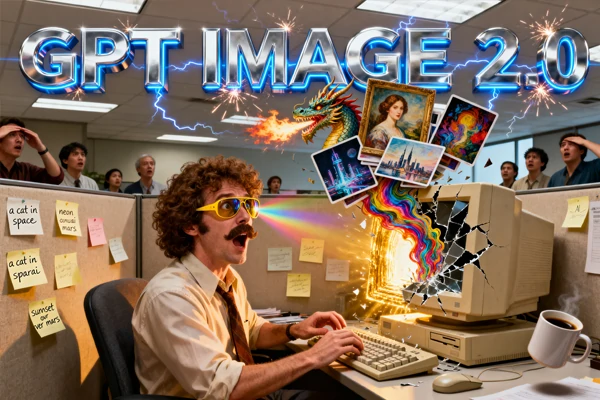
Generate high-quality images with GPT Image 2 on SeaArt AI. Perfect text rendering, world knowledge integration, and photorealistic results in seconds.
Enter Your Prompt
Describe the image you want. Be specific about text elements, locations, or styles you need.
Select GPT Image 2 Model
Choose GPT Image 2 from the model dropdown. Adjust resolution settings if needed.
Generate and Download
Click generate and watch your image appear in seconds. Download in multiple formats.

Text sits naturally within scenes rather than floating on surfaces. Whether you're creating product mockups, marketing banners, or UI designs, GPT Image 2 delivers clean typography that matches your brand standards. The model understands font hierarchy, spacing, and context - perfect for designers who need pixel-perfect precision without manual editing. Generate storefront signs, book covers, or social media graphics with confidence.
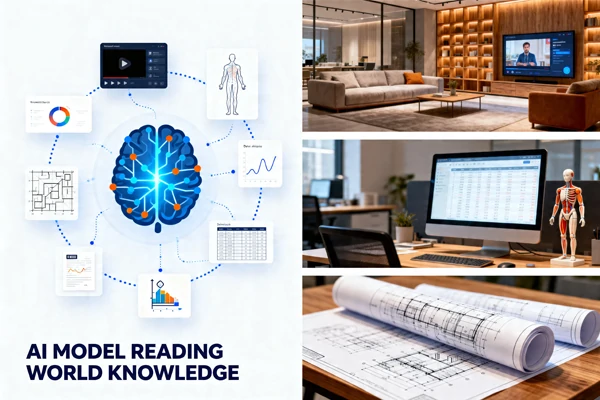
GPT Image 2 taps into real-world data to create authentic scenes. Request an IKEA showroom and get accurate furniture layouts, signage, and product displays. Need a YouTube interface? The model generates recognizable UI elements, thumbnails, and branding. This world knowledge extends to medical diagrams, architectural blueprints, and cultural references - reducing the need for extensive prompt engineering.
GPT Image 2 fixes the issues that frustrated users for years. The infamous yellow tint is gone - colors now match real-world photography. Hand anatomy finally works correctly, with proper finger count and natural poses. Skin textures look human rather than plastic, and facial features avoid the uncanny valley. The model handles crowded scenes without merging people together or creating anatomical nightmares. Export at 2K-4K resolution for client presentations or print materials that actually look professional.

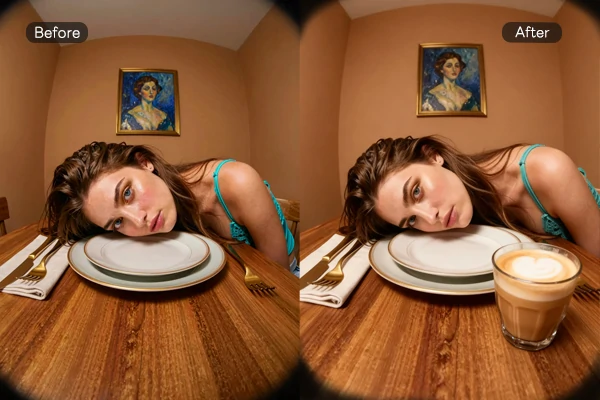
Skip the complex masking tools and layer adjustments. Describe changes in plain English and GPT Image 2 applies them intelligently. "Make the sky sunset colors" or "add a coffee cup on the table" - the model understands spatial relationships and object placement. This speeds up iteration cycles for content creators who need multiple variations. Works like an AI agent that combines with AI image upscaler for final polish.
Join thousands of creators using GPT Image 2 on SeaArt AI. Start generating professional-quality images with accurate text and world knowledge - no credit card required.


Generate in Seconds
Upload your prompt and watch GPT Image 2 create detailed images in under 10 seconds. No complex setup or technical knowledge required.

Free to Try
Get free daily Stamina to test GPT Image 2 without payment. No credit card required to start - create your first images and upgrade when you need more.



Works on Any Device
Access GPT Image 2 from your browser on desktop, tablet, or mobile. Your creations sync across all devices automatically.

100% Private & Watermark-Free
Your dataset and trained adapters stay private by default. Every download is clean - no watermarks, full commercial rights, ready for client work or personal projects.
SeaArt AI offers you powerful all-in-one image&text-to-video AI generator. Beyond its core tools, it brings multiple industry-leading video models together in one place, so you can switch between them smoothly and create impressive visuals without bouncing across platforms.

What makes GPT Image 2 better than other AI image generators?

Can I use GPT Image 2 for commercial projects?
Yes, images generated with SeaArt AI can be used commercially under your subscription tier's licensing terms.
How long does it take to generate an image?
Most images generate in 5-10 seconds depending on resolution and complexity. Higher resolutions may take slightly longer.
Does GPT Image 2 work with image-to-image generation?
Yes, upload a reference image and GPT Image 2 will transform it while keeping the structure and adding your requested changes.
Can I edit images after generating them?
Yes, use natural language prompts to make changes like adjusting colors, adding objects, or modifying backgrounds without starting over.
Will GPT Image 2 copy exact brand logos I request?
The model creates authentic-looking scenes with brand contexts but avoids replicating copyrighted logos to prevent trademark issues.